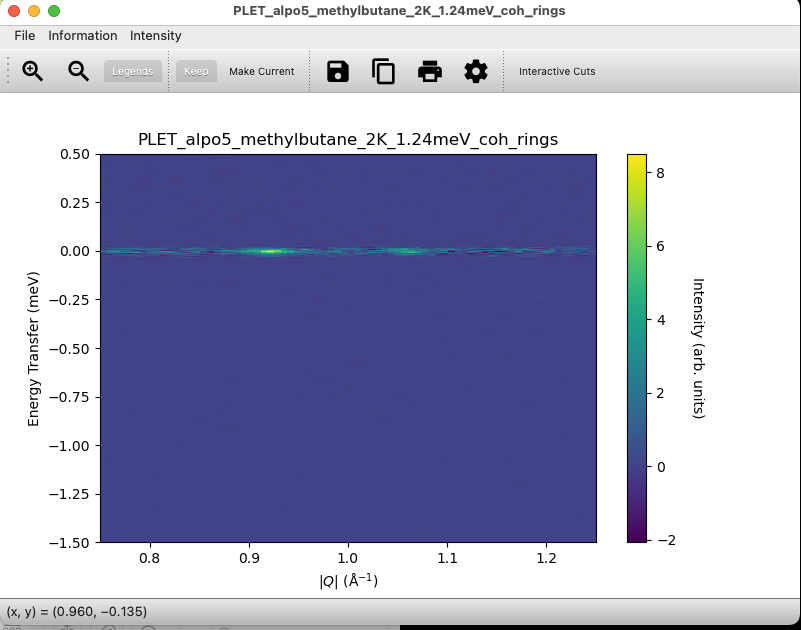
Hi Duc, I didn’t realise you could add images or I would have done so before.
I have saved using the disk icon in the plot window and chosen .nxspe as the format, then reopened from the data loading tab. See below for before and after.
This is how Mslice treats NXSPE right now. The disk icon in the slice plot doesn’t save the sliced Q,E volume in a way that keeps the slice limits. Instead, it just writes a nxspe-style container, so when you reload it, you’re back to the full workspace coverage. That’s why the Q/E extents have changed.
nxspe is really just a way to share full datasets, not post-slice state. Even though the UI lets you choose the format, mslice doesn’t round-trip slice metadata. Not new, but still confusing.
If you need reproducibility, the safest things to do are to keep the original nxspe and reapply the slice, or save the slice as a workspace (or image) instead of nxspe. If not, this is basically unsupported behavior, and it might be worth sending in a bug report to either stop nxspe export from the slice plot or make the warning louder.