Hi Erxi,
You don’t need to install any of the dependencies yourself, this will by done automatically by conda when you install the mantid package. I have just tried the following and found it to work without any issues:
- Install mambaforge from here:
GitHub - conda-forge/miniforge: A conda-forge distribution. - Using the “Miniforge prompt” create a new empty environment and give it any name you want, preferably something descriptive. I have gone with “mantid_6.6”:
conda create -n mantid_6.6 - Activate the environment:
conda activate mantid_6.6 - Install mantid into the environment using mamba, rather than conda. Mamba does a much better job of resolving the dependency tree:
mamba install -c mantid mantid - Install jupyter notebook into the environment:
mamba install notebook - Run jupyter notebook with:
jupyter notebook
When I create a new notebook, I can successfully import from mantid:
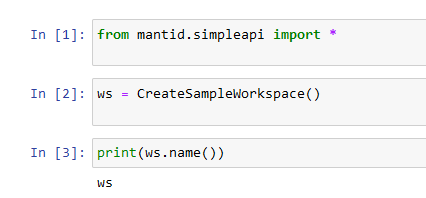
Let me know if this works for you.
Thanks,
Tom